
Reformas Control

Planner for small renovations

The renovation you do yourself, measured and costed

Plan the small renovation jobs you do yourself: rooms with their measurements, jobs, materials, spending and dates in one place, on your phone.

Coming soon to Google Play

Free · Android · In Spanish and English
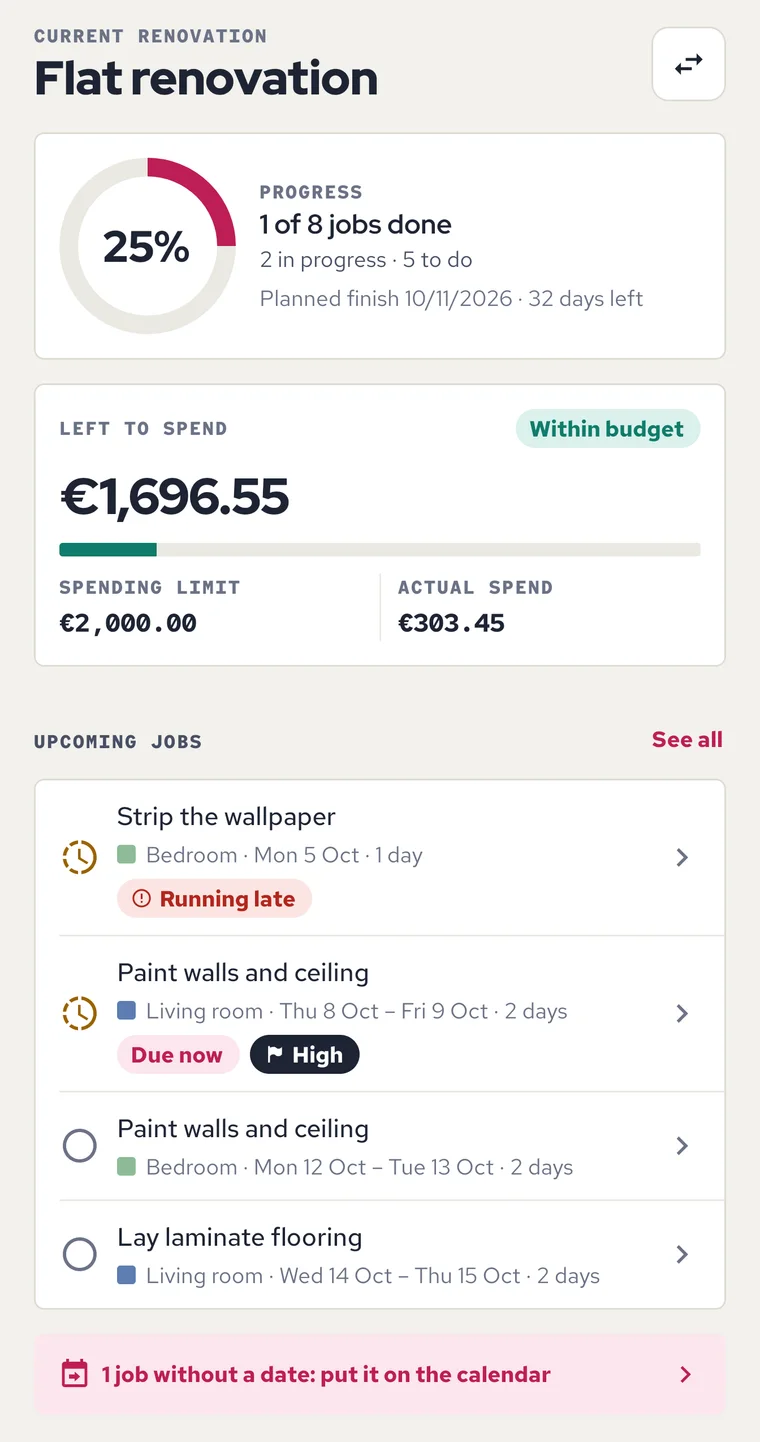
Home screen: 25% progress, budget left to spend and the next jobs of the renovation.
Home · the app’s sample renovation
  • No accountThere is no sign-up and no sign-in.
  • No connectionThe app does not connect to the internet.
  • No adsFree, with no ads and no purchases.
  • Two languagesAvailable in Spanish and English.

Rooms

Walls, ceiling and floor, openings taken off

Create a renovation and add each room with its length, width and height. The area calculator gives you the floor, the ceiling and the walls, with doors and windows taken off.

If a window does not fit in the wall you chose, the app tells you. For L-shaped or irregular rooms you can enter the perimeter and the floor area instead.
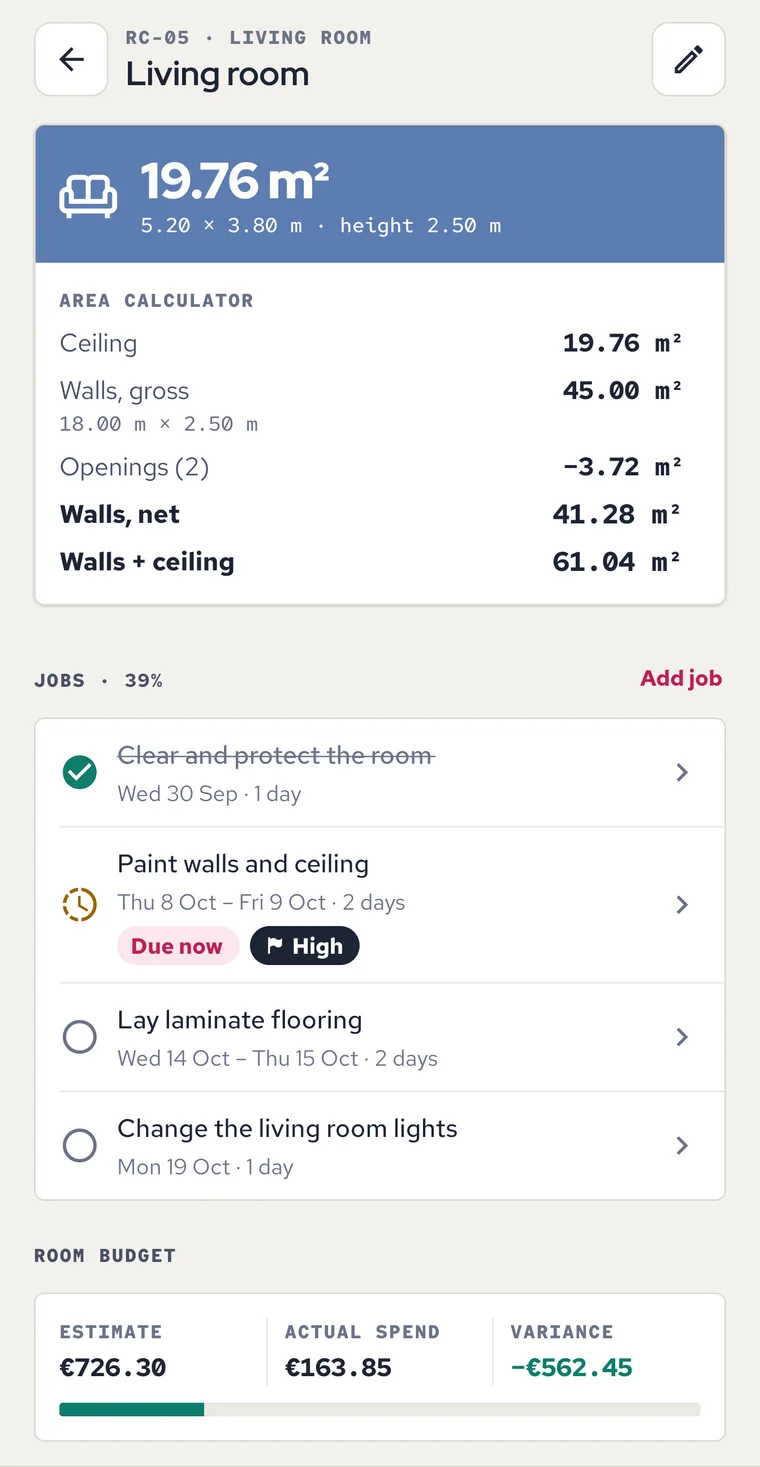
Living room with the area calculator: floor, ceiling, walls and openings taken off.
Room · sample renovation

Budget

Estimate against actual spend

The app adds up your estimates and compares them with what you are spending: by room, by category and in total. You see the variance, how much is left, and a warning when you get close to your spending limit or go over it.

If you work with amounts before VAT, you can add it at a rate you set yourself. It is your own setting: the app gives no tax advice and does not know which rate applies to your renovation.
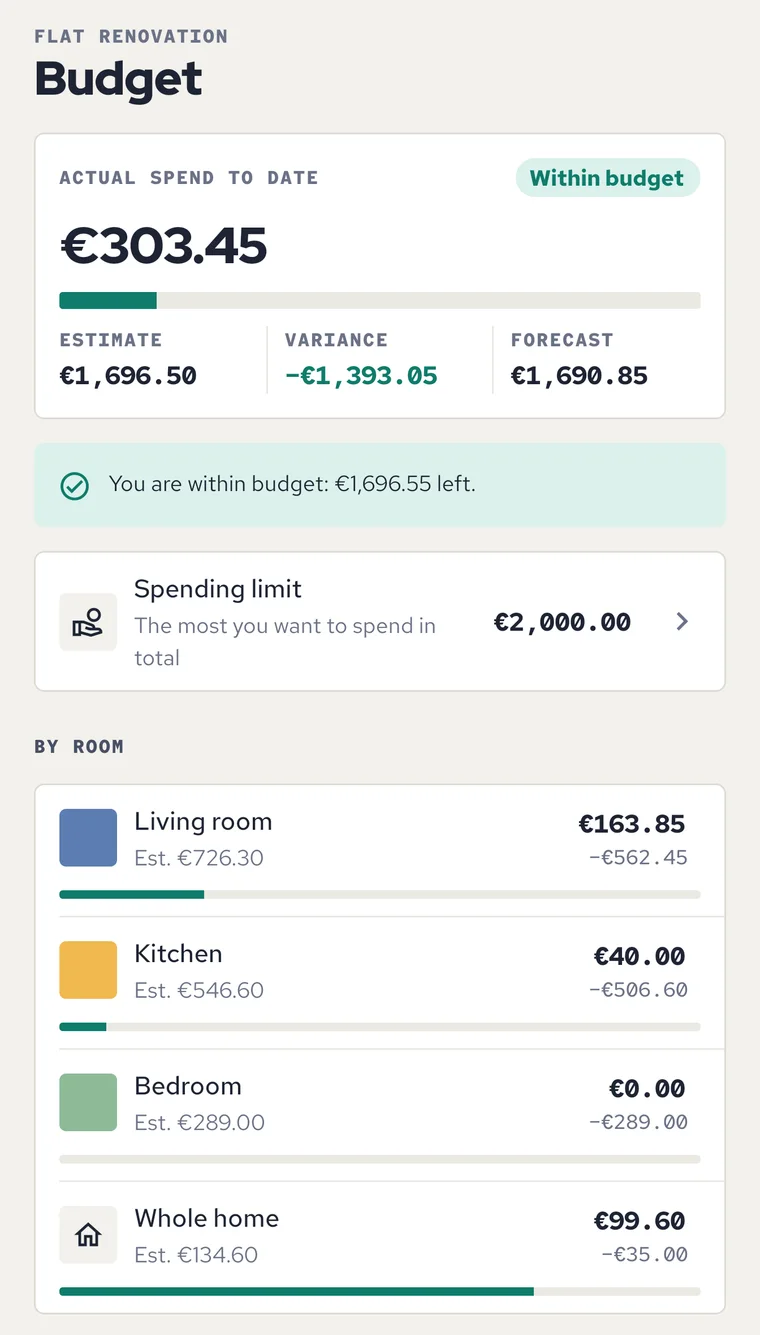
Budget: actual spend against the estimate, variance and a breakdown by room.
Budget · sample renovation

Jobs and calendar

Jobs spread day by day

Each room has its own list of jobs: painting, flooring, lighting, furniture assembly, tiling or whatever you define. Each job has a status, a priority, steps to tick off, a cost and photos.

Spread the jobs over the days, set a deadline for each stage and let the app suggest a run of dates on your working days.
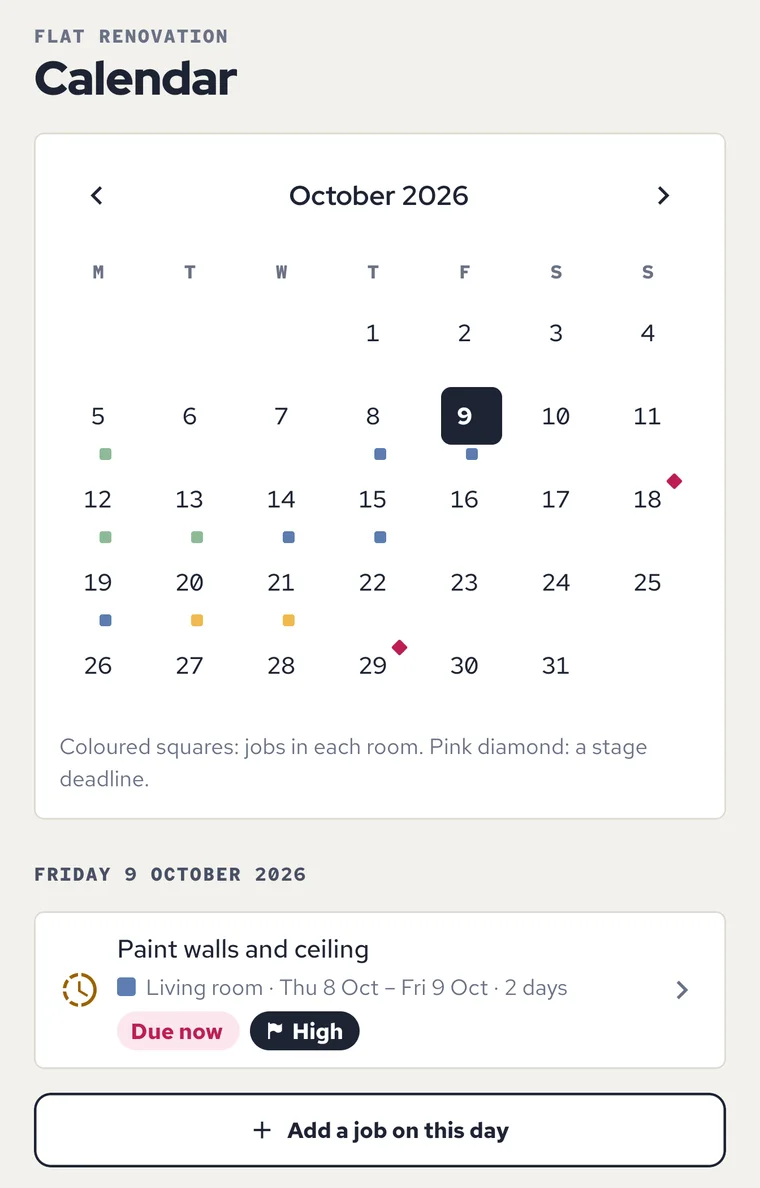
October calendar with each room’s jobs on their days and the stage deadlines.
Calendar · sample renovation
  • Templates A template fills in the title, category, duration and steps. You can change all of it.
  • Schedule jobs Automatic suggestion of dates: you see how they fall before you apply it.
  • Stages and deadlines The app warns you when a job ends after the deadline of its stage.

Shopping and tradespeople

What is still to buy, and who you hand a job to

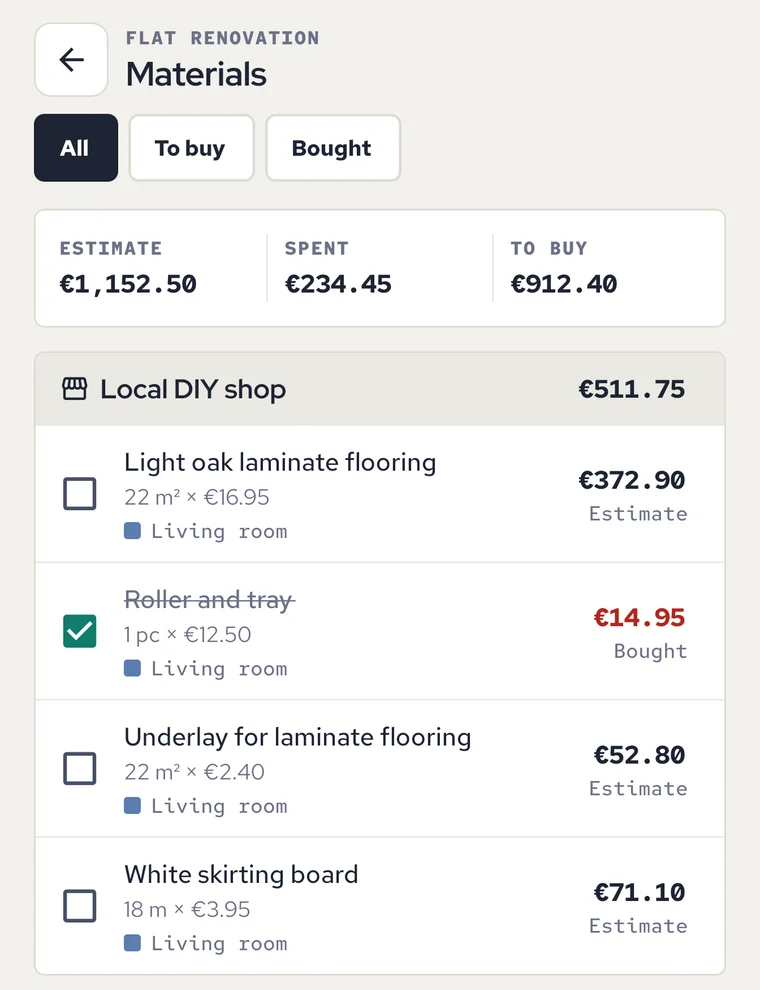
Materials list grouped by shop, with bought items ticked and their amounts.
Materials · sample renovation

Your materials list, shop by shop

Note each material with its quantity, price and shop. The list is grouped by shop for the trip and separates what you have bought from what is still to buy.
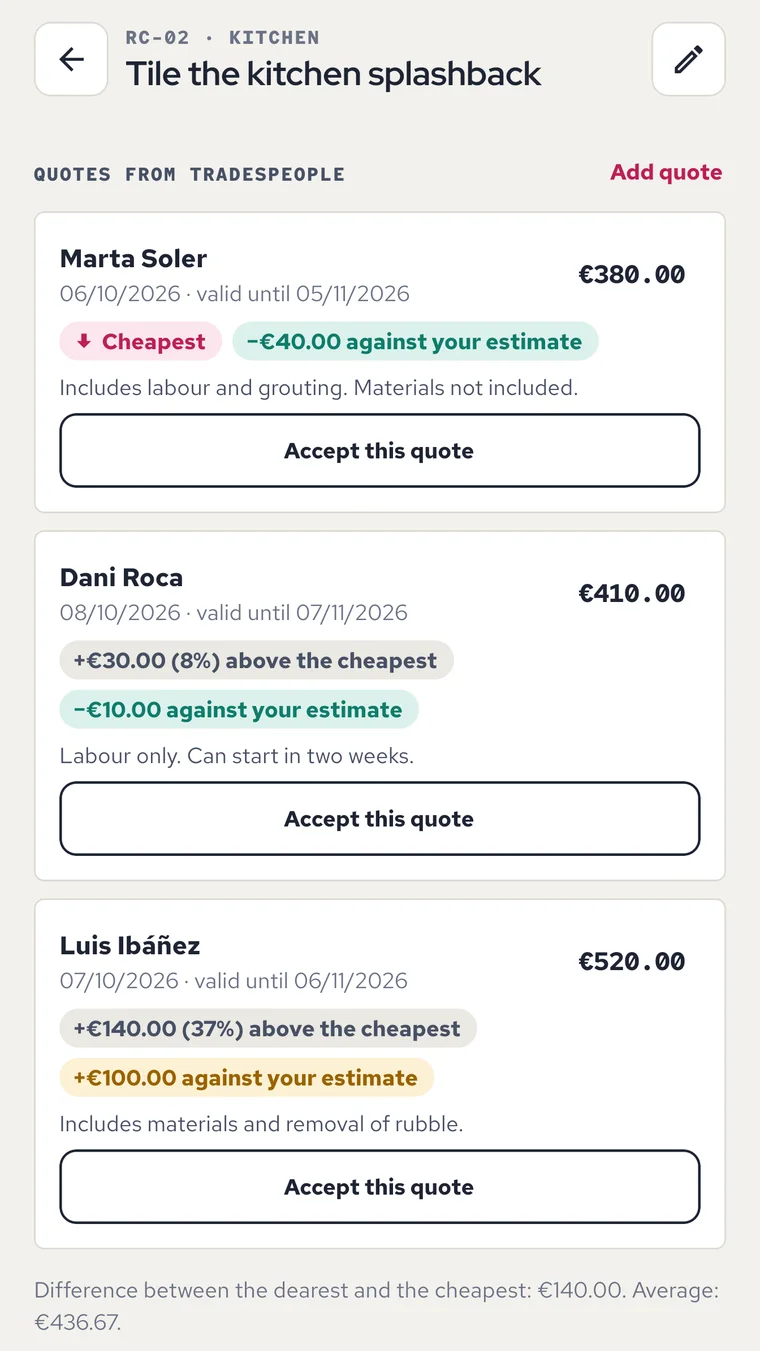
Three tradespeople’s quotes for the same job, each compared with the cheapest.
Quotes · invented names

Compare tradespeople’s quotes

Keep the details of your painter or plumber, compare the quotes you get for the same job, and keep a record of the work done and what you have paid.

You type these contacts yourself and they are kept on this phone only. The app does not read your address book or send them anywhere. The names in the screens are invented.

Photos and PDF

Before, after and the whole renovation in one PDF

Before and after

Keep before and after photos of each room and compare them one above the other. You choose them with the system picker: the app does not ask for access to your gallery or camera.
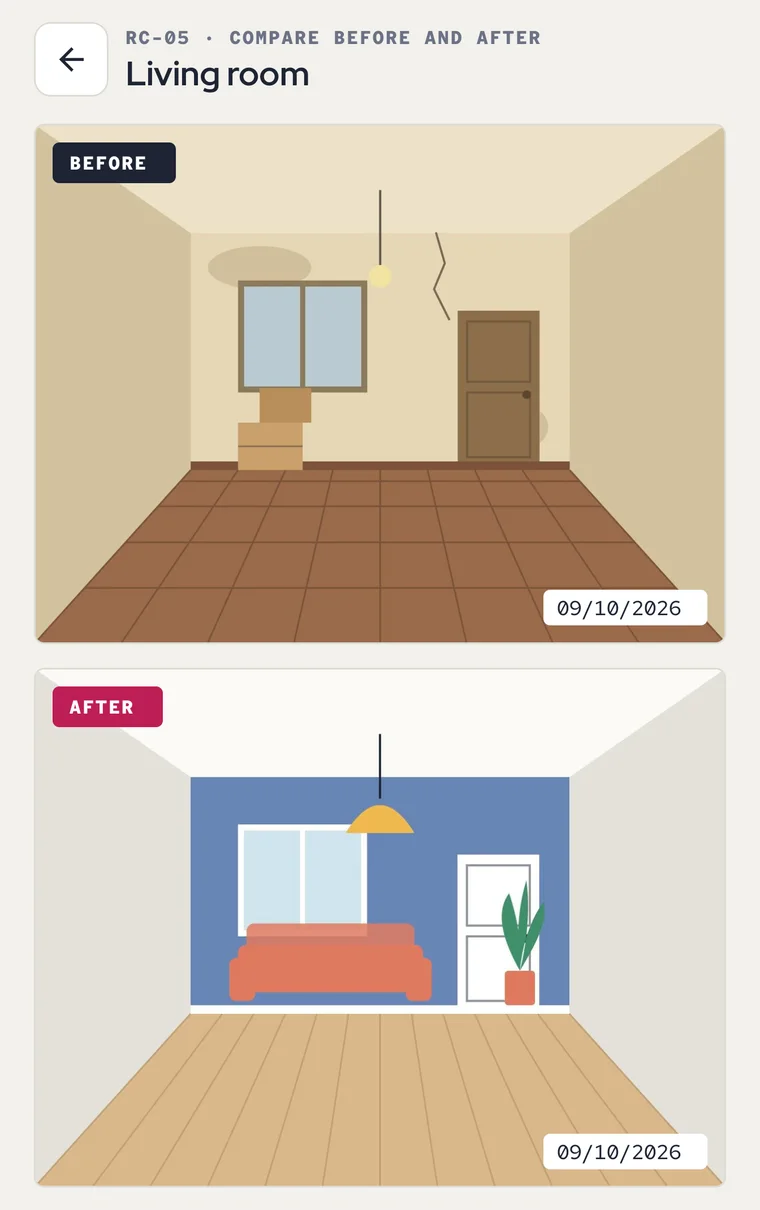
Drawings of the living room before and after the renovation, one above the other.
Compare before and after · sample drawings
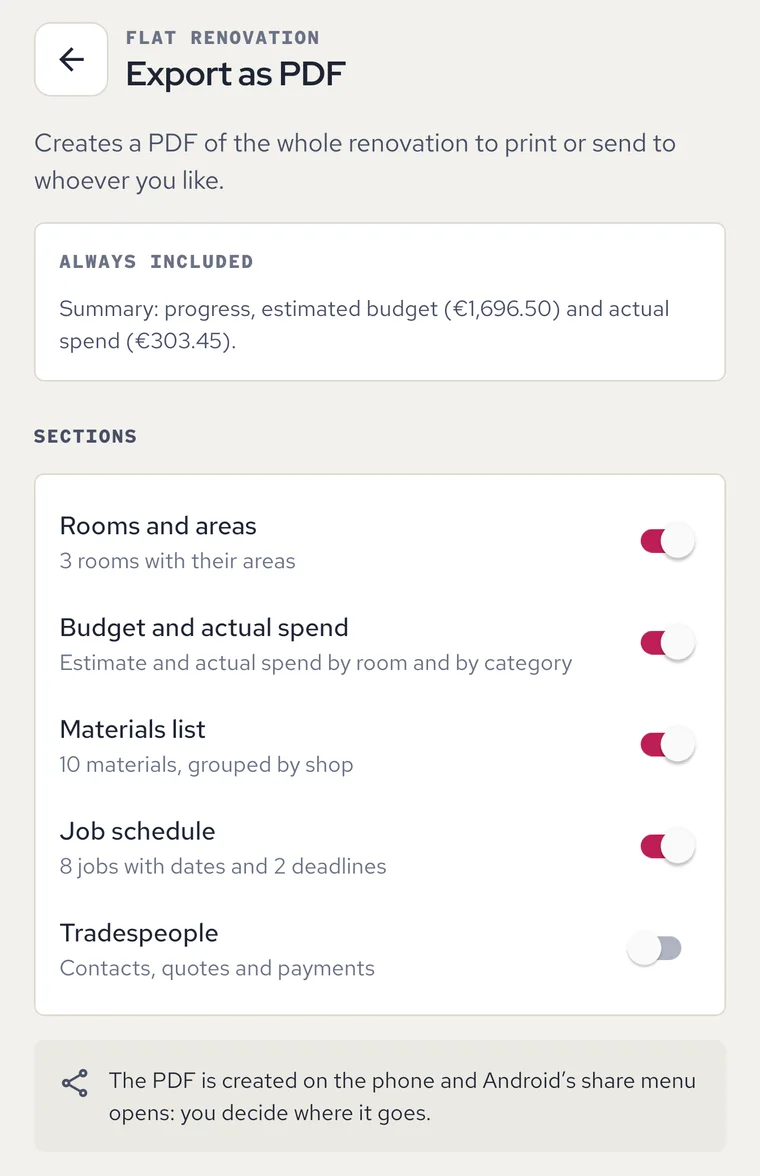
PDF export with the sections to include: rooms, budget, materials and schedule.
Export as PDF · sample renovation

Export as PDF

Create a PDF with the budget, the materials list and the schedule of the whole renovation. The PDF is created on the phone and Android’s share menu opens: you decide where it goes.

Please note

Your figures, your estimates

It helps you get organised

Areas are worked out from the measurements you enter, and the amounts are the ones you type. They help you get organised: they are not a professional quote, an official survey or a technical project.

Remember to check first

Some work may need a permit from the town hall, a qualified electrician or gas installer, or the approval of your building’s owners’ association. The app does not tell you what is required in your case: ask your town hall and a professional before you start.

You decide the VAT

You can say that your amounts already include VAT, or add it at the rate you type. The app gives no tax advice.

Privacy

Nothing leaves the phone except the PDF you choose to share

Read the privacy policy
  • There is no account or sign-up, and the app does not connect to the internet.
  • Renovations, amounts, photos and contacts are kept on this phone only.
  • You choose photos with the system picker: the app does not ask for access to your gallery or camera.
  • You type tradespeople’s details yourself: the app does not read your address book.
  • There is no cloud copy and there are no notifications: if you uninstall the app, the data is deleted.

Questions

Before you install it

More answers in Help
Can I try it with sample data?

Yes. As long as you have not created a renovation, the app offers “See a sample renovation”: a flat with three rooms, jobs, materials and quotes. The screens on this page come from that sample.

Does it work out how much paint or how many packs of flooring I need?

No. The app works out areas (floor, ceiling and walls with openings taken off) and you decide the quantities. When you add a material you can copy an area of the room as the quantity in m².

Does it tell me whether I need a permit?

No. The app gives no information on regulations, permits or safety. It only reminds you that some work may need a permit from the town hall, a qualified installer or the approval of your building’s owners’ association: ask your town hall and a professional before you start.

Can I keep more than one renovation?

Yes. In “My renovations” you can create several, switch between them and duplicate one as a new plan.

What happens to my data if I change phone?

The data is kept on the phone only and there is no cloud copy, so it does not move to the new phone by itself. What you can take with you is the PDF of the renovation.

Does it send alerts or reminders?

No. The app sends no notifications: deadlines and jobs running late are shown when you open it, on the home screen and in the calendar.

Start with one room

Give it measurements, add the first job and note what needs buying. The rest of the renovation adds up from there.

Coming soon to Google Play

Free · Android · In Spanish and English